
Order in, receipt out, team alerted
The kitchen receipt prints by itself on the restaurant’s thermal printer. Your team gets a WhatsApp message, so nobody has to watch the screen to catch an order.
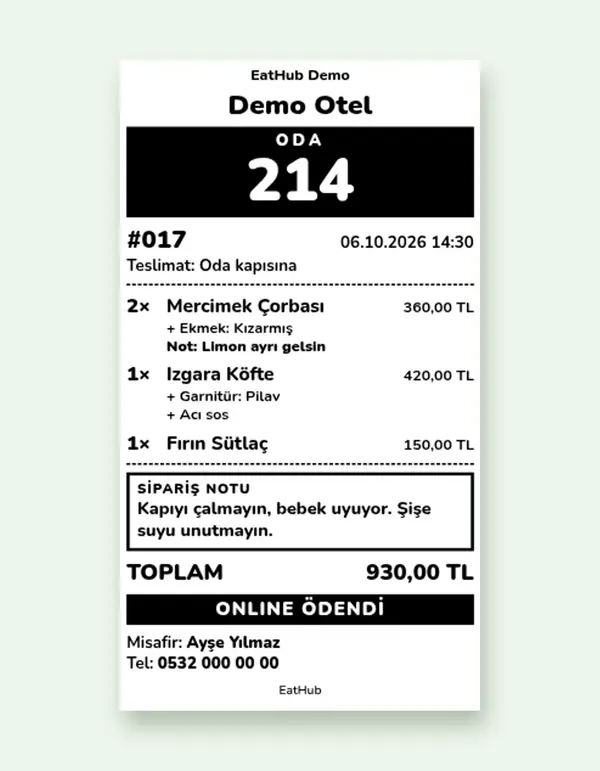
Receipts print in the kitchen by themselves
A small program runs on a Windows computer in the restaurant and connects to the panel. The receipt prints when payment is confirmed or when you accept the order; you choose which, and how many copies, in the settings.
- Works with ESC/POS thermal printers connected by network or USB
- The panel shows whether the printer is connected
- If the same job arrives twice, the program does not print it a second time
- Reprint a missed receipt from the order details
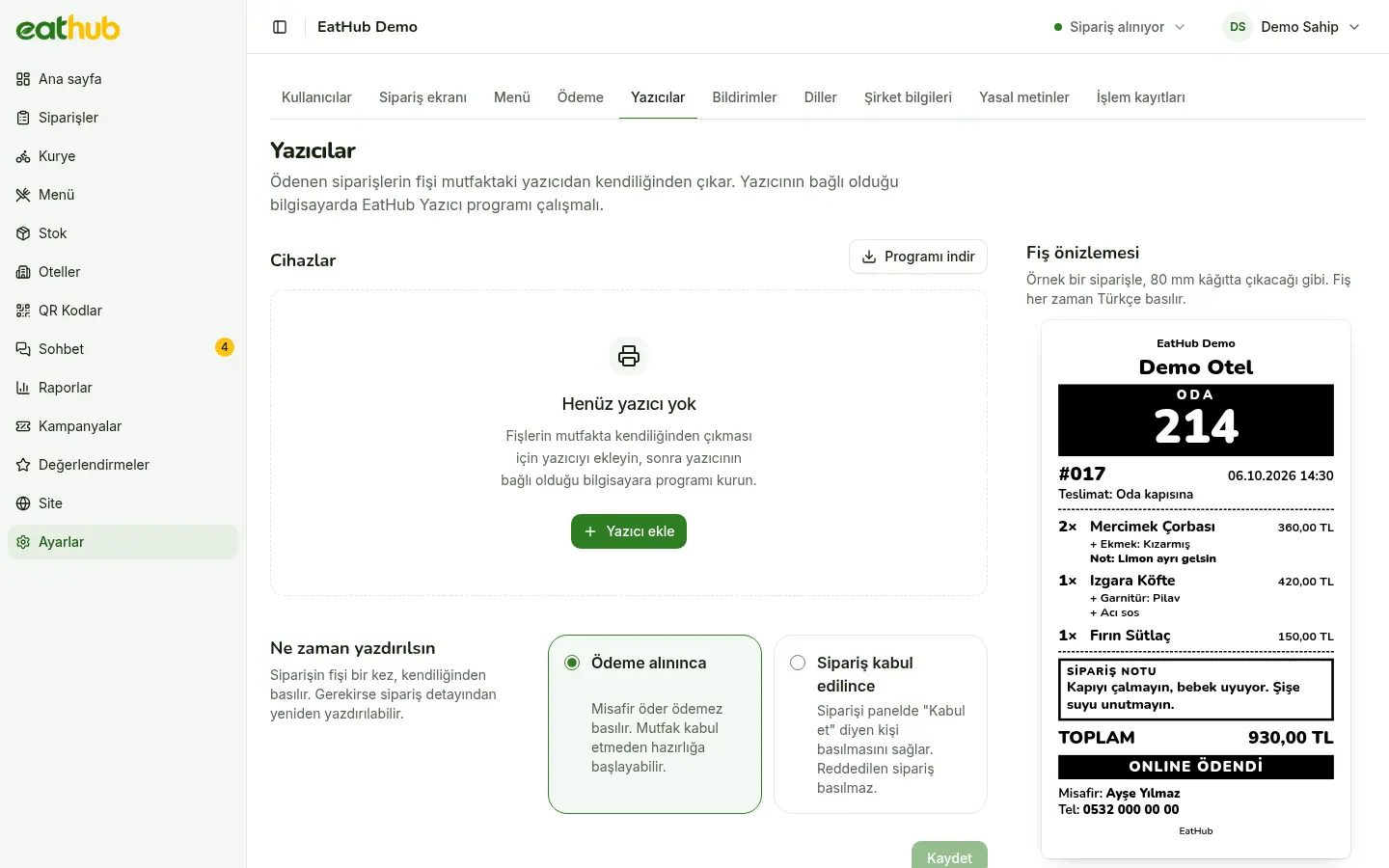
What is on the receipt
- Order details
- Room, hotel, items, and any discount or free delivery.
- The guest’s note
- If the note was written in another language, the Turkish translation prints under the original.
- Section headings
- An order with both food and market items prints in sections.
- Warnings
- Age-restricted items and test orders are marked on the receipt.
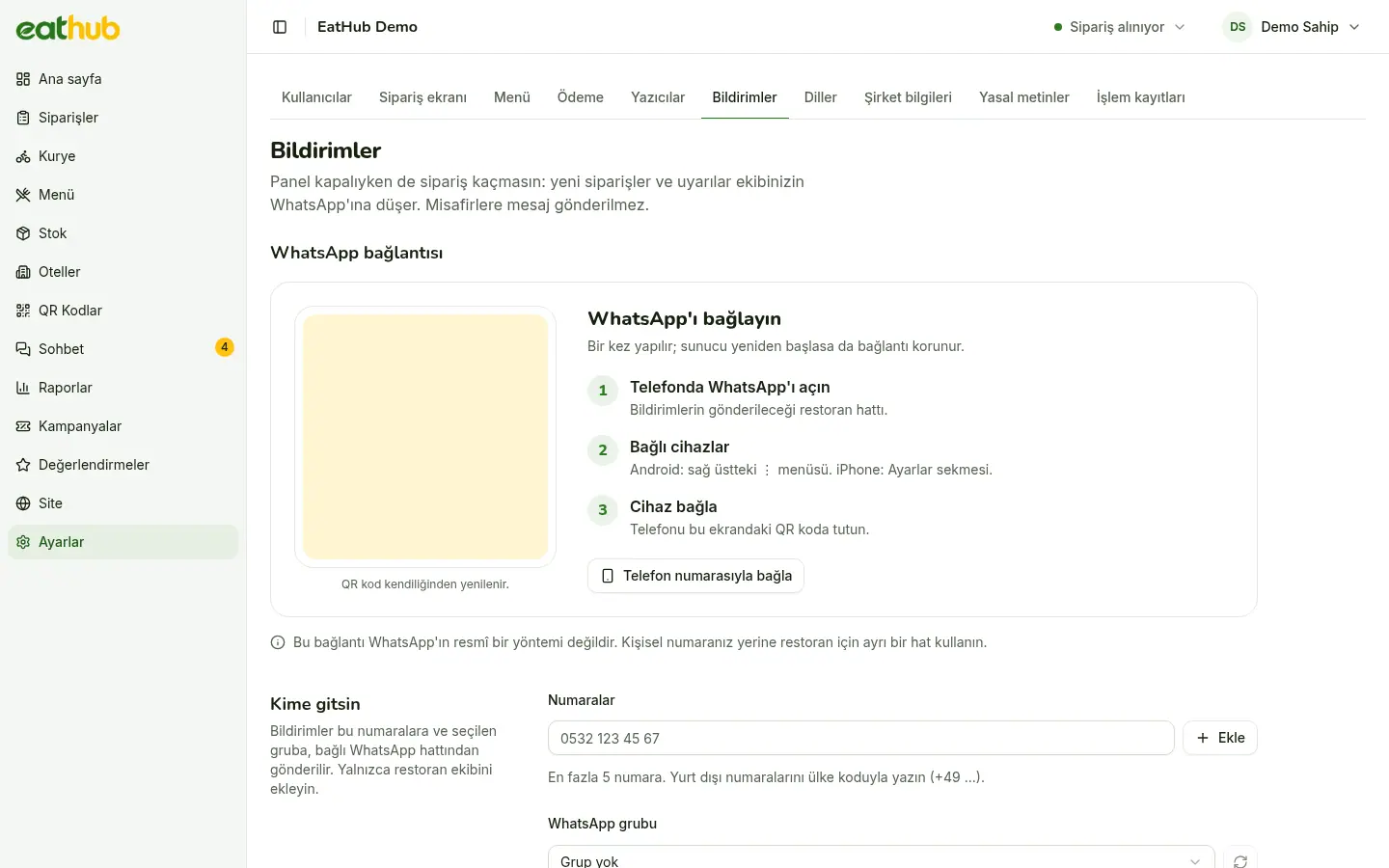
A message lands in your team’s WhatsApp
When an order is paid, a message goes to the numbers or group you set. You link the account by scanning the QR code shown in the panel with your phone. This is not the official WhatsApp Business API; it uses the restaurant’s own account.
- Messages go only to your team; the guest’s name and phone number are never in them
- Choose in the settings which events send a message
- If WhatsApp cannot send, the event goes to Telegram once
- If the connection drops, a warning appears at the top of the panel
How an order moves along
Payment is confirmed
An order is final only once payment is verified; an unpaid order never reaches the kitchen.
Your team is messaged
The WhatsApp message reaches the recipients you set, and its link opens the order directly.
The receipt prints
The printer prints it at payment or at acceptance, depending on what you chose.
The kitchen accepts
The card on the board is accepted, the preparation time is set, and the guest is updated.
From the message straight to the order
The link in the message opens the order in the panel with its details. If the printer goes offline or the day ends, your team hears about that too: the offline warning and the end-of-day summary arrive on the same channel.
- A warning message goes out when the printer drops off
- An end-of-day summary of orders goes to your team
- A ready-order message to couriers is optional
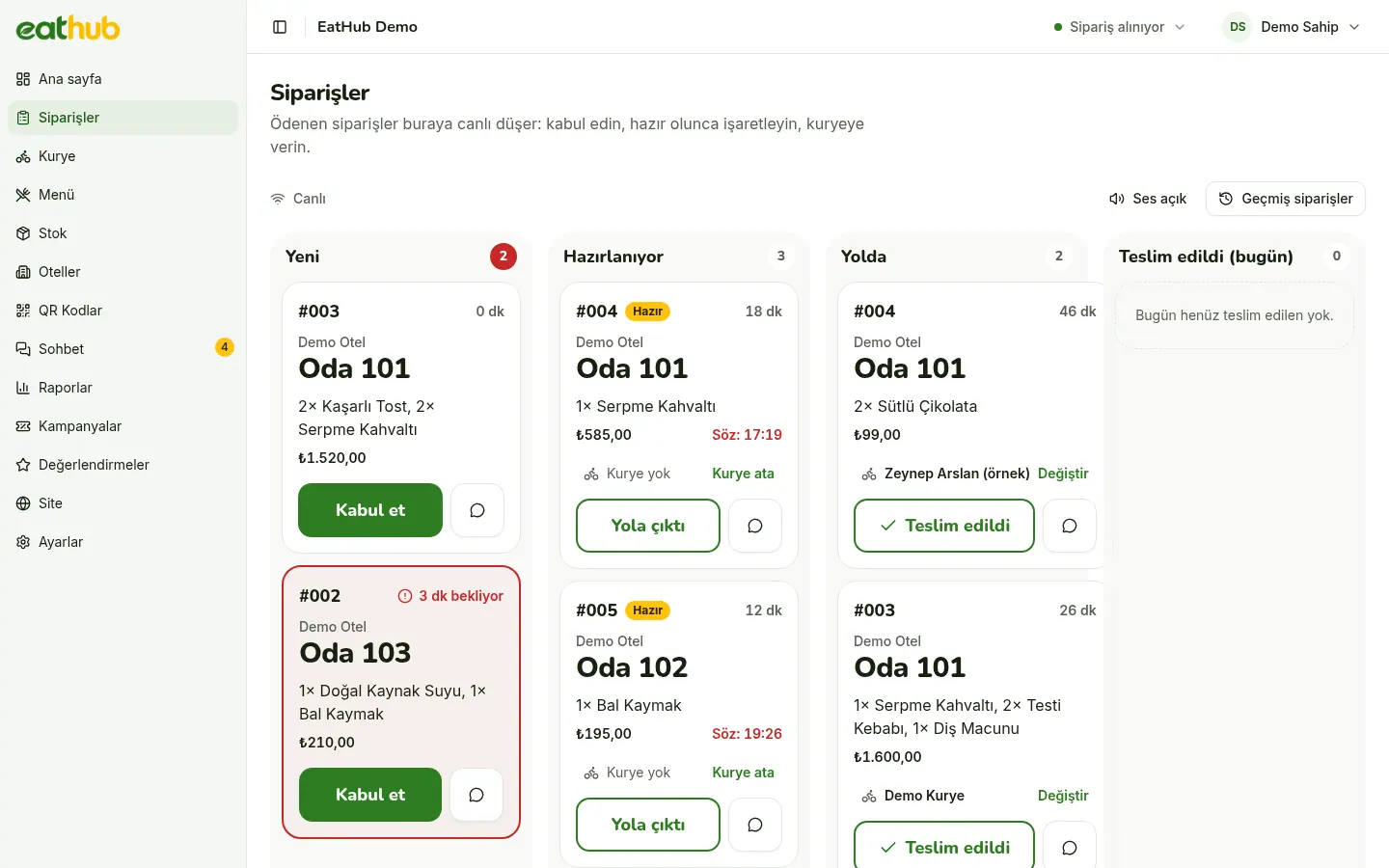
Printer setup is done in the panel
You download the program from the panel and introduce your printer. If you would rather see the guest side first, try the demo.
Common questions
Is it the official WhatsApp Business API?
No. It uses the restaurant’s own WhatsApp account, linked by scanning the QR code from the panel with the phone. If the phone logs out or the connection stays down for long, the panel warns you, and messages go to Telegram if you have set up the backup.
Do guests get messages too?
No. Notifications go only to the restaurant’s team. Guests follow their order live on their own screen and talk to the restaurant in the chat.
Which printers does it work with?
ESC/POS thermal receipt printers connected by network or USB. The program runs on a Windows computer.
Is an order lost if the printer is off?
No. The receipt job waits in the queue and prints when the printer program reconnects. Your team gets a warning when the printer goes offline.
Let us start with your rooms
Fill in the form and we will call you to plan the setup together.