
Guests see where their order is
Received, preparing, on the way, delivered: guests follow each step on their own phone. The screen updates without a reload, and a rating is asked for after delivery.
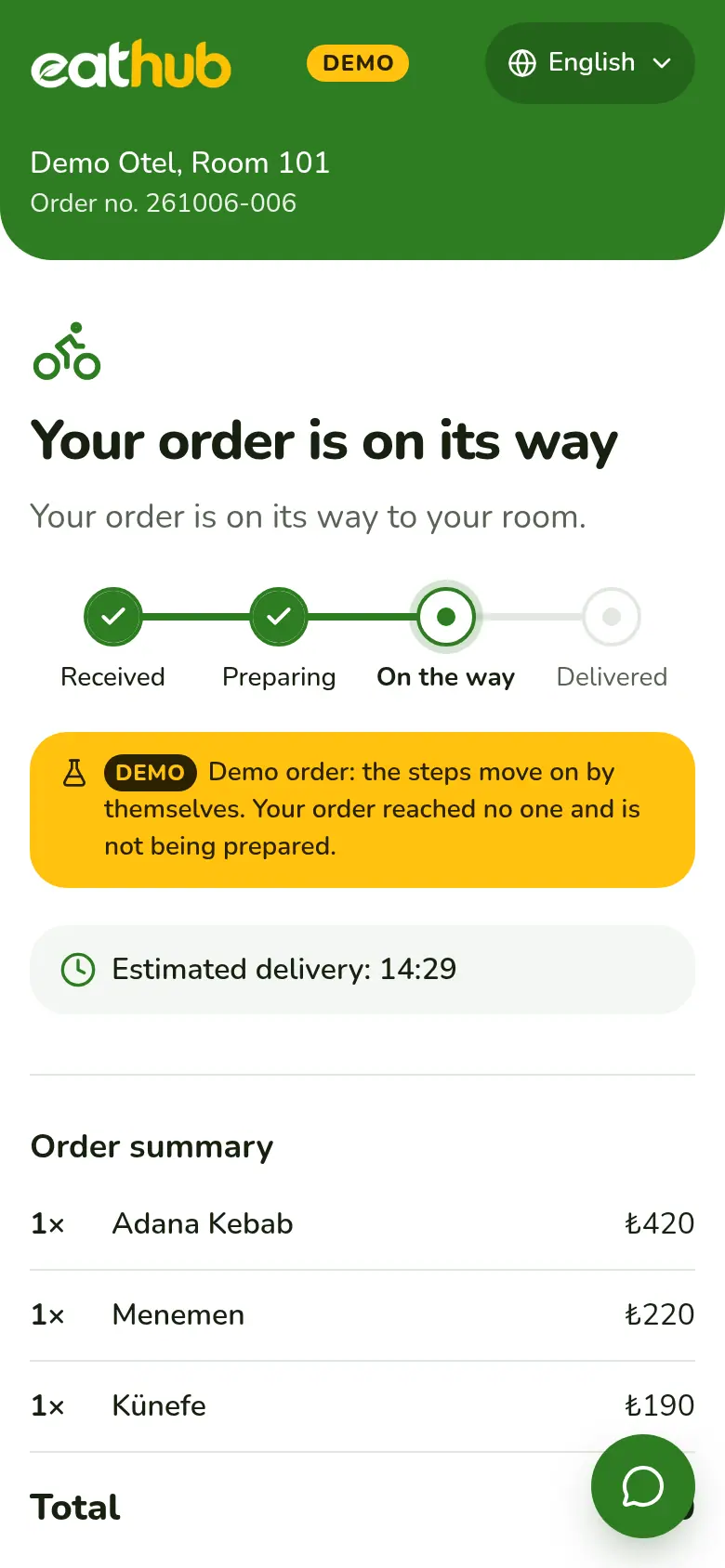
Four steps, always visible
On the tracking page the guest sees the step the order is at right now.
Received
Once payment is verified, the order lands on the restaurant's board and the guest sees it has been received.
Preparing
The kitchen accepts the order and picks a preparation time. The guest's screen shows the estimated time.
On the way
The courier takes the order and sets off. The guest sees it is on the way.
Delivered
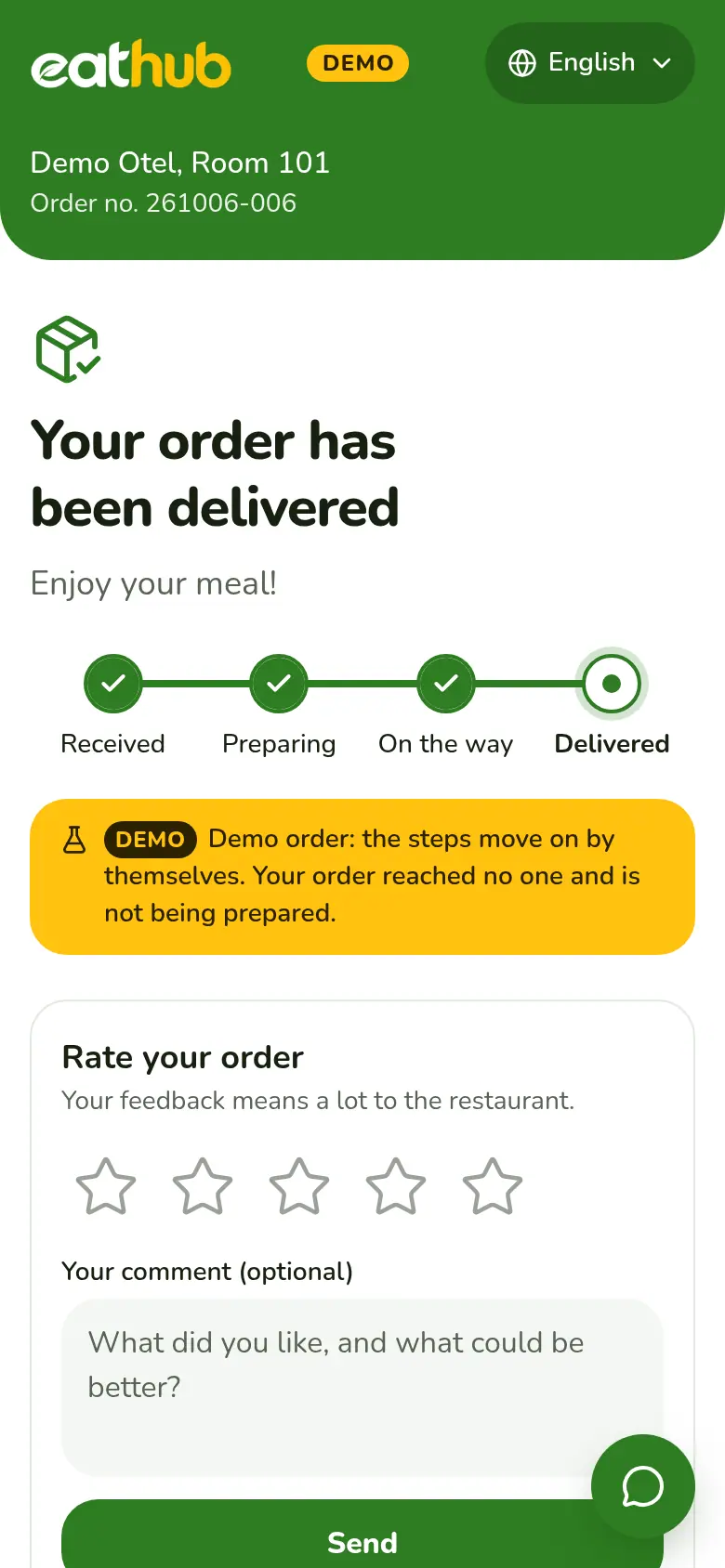
The courier marks the delivery. The guest is asked for a rating and a comment.
The screen updates by itself
When the kitchen or the courier moves a step forward, the guest's tracking page refreshes on its own. If the connection drops for a moment, the current status is fetched again as soon as it returns.
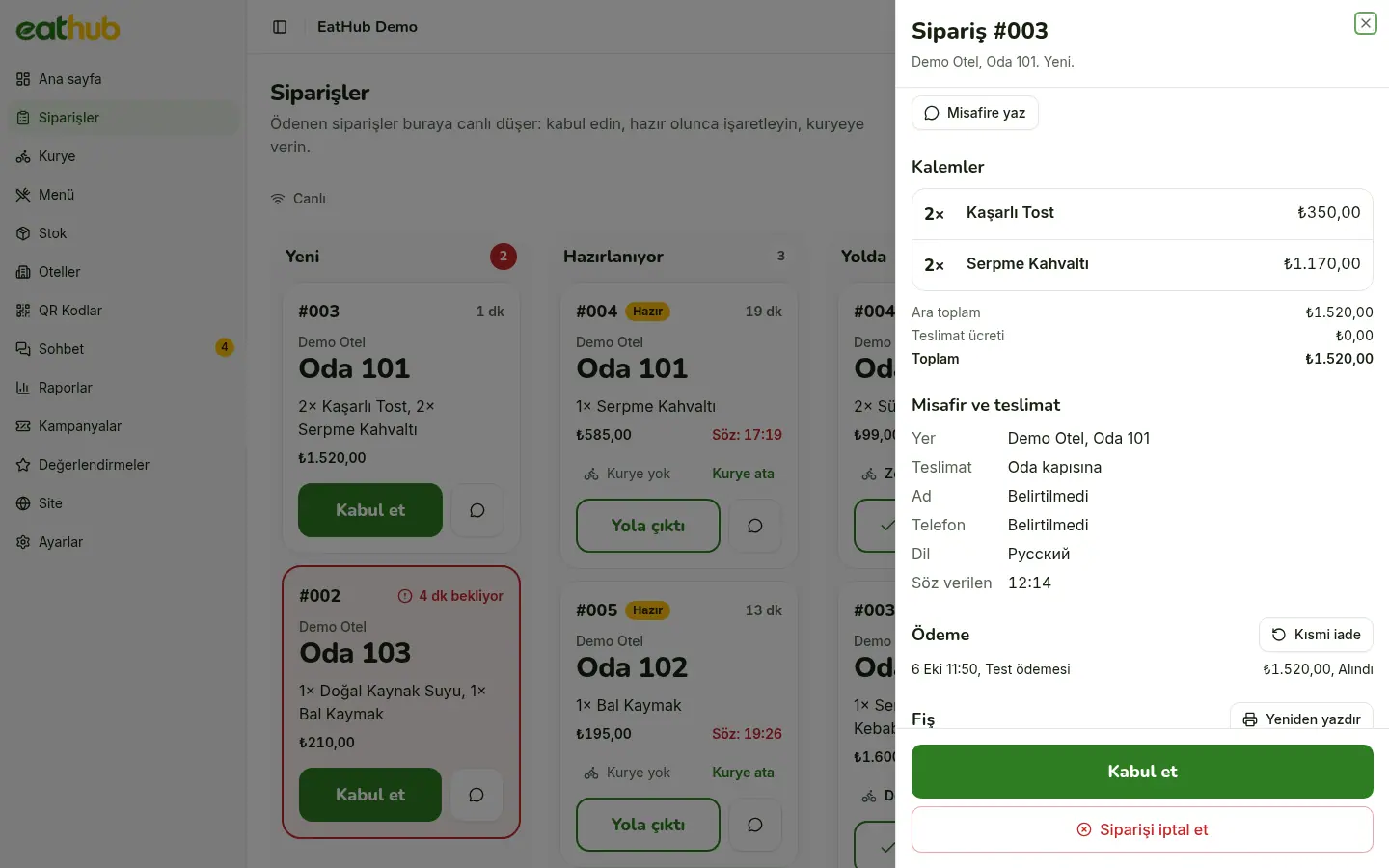
- Every status change is written to the order's history
- If two people press at once, the board refreshes and nothing clashes
- You can message the guest from the order card
Couriers move it along from their phone
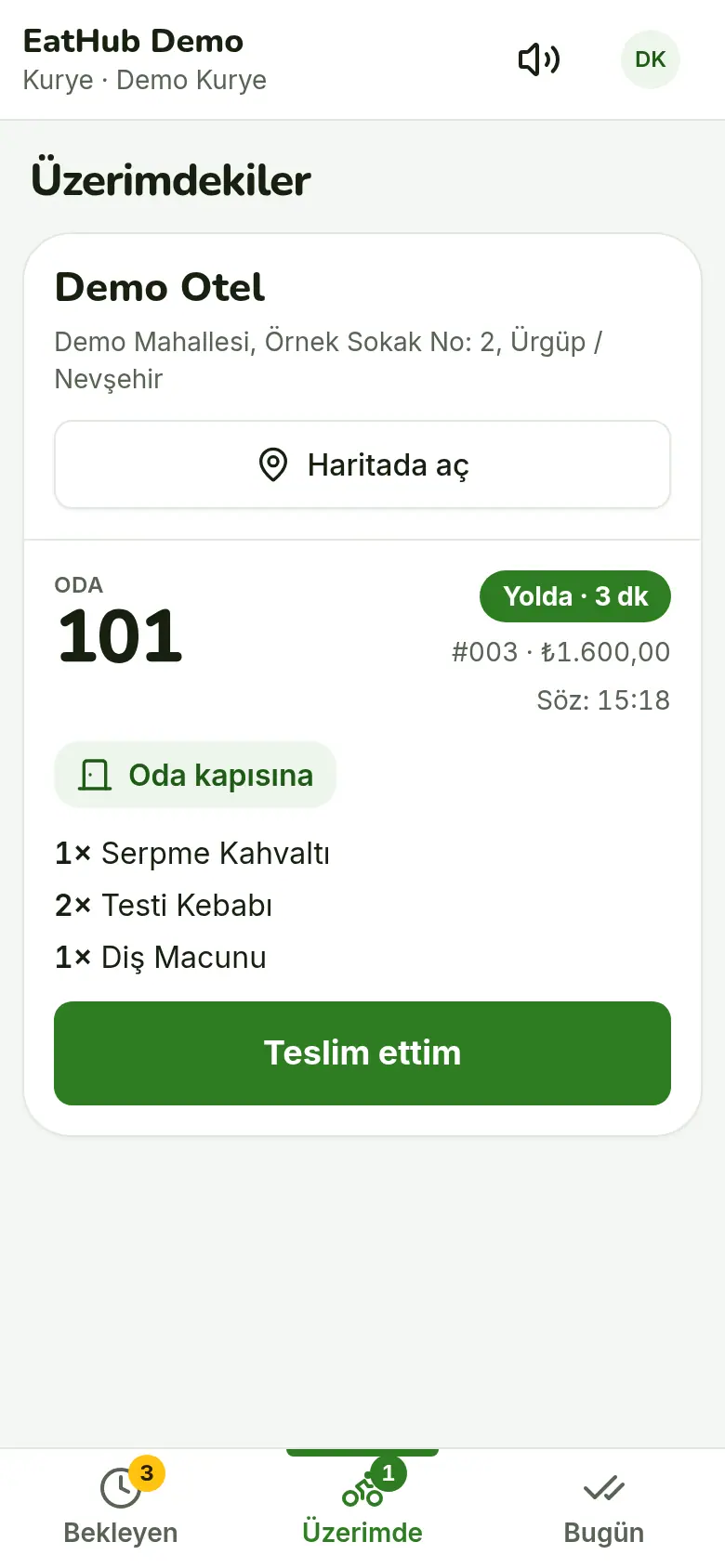
When the kitchen marks an order ready, the courier sees it on their own phone and takes it. They only tap when they set off and when they deliver, and the guest screen moves with them.
- A hotel's orders can be taken in one tap
- At handover a short note is chosen, such as left at reception
- You can also assign the courier from the panel
When busy, and outside service hours
- Busy mode
- When the restaurant is busy it adds extra minutes to the delivery time, or pauses new orders for a while.
- Service hours
- Each hotel has hours, day by day. Outside them the menu can be browsed, adding to the cart is off, and the page says when ordering opens.
- Delivery point
- Each hotel is set to room door or reception. The guest sees the delivery point on the order screen.
- Sound alert
- A new order reaches the board with a sound. A card nobody accepts turns red after a while and the sound repeats.
A rating and a comment after delivery
Once an order is delivered, its page opens a rating and comment field. Each order can be rated once. A comment that is not in Turkish shows with its Turkish translation in the panel.
- You filter ratings by hotel and date
- One or two stars can send the team a WhatsApp alert
- The average rating shows in the reports
Try tracking on your phone
Place an order from the demo room and watch the status move on the guest screen. No payment is taken and the order reaches no one.
Common questions
Do guests need to reload the page?
No. The screen updates by itself when the status changes. If the connection drops briefly, the current status is fetched when it comes back.
What happens when the restaurant is very busy?
The restaurant switches on busy mode. It adds extra minutes to the delivery time or pauses new orders for a while.
Can guests order outside service hours?
No. Service hours are set per hotel, day by day. Outside them the menu can still be browsed, but adding to the cart is off and the page says when ordering opens.
Can guests rate their order?
Yes. After the order is delivered, the phone that placed it can leave one rating and comment. A comment can be up to 500 characters.
Let us start with your rooms
Fill in the form and we will call you to plan the setup together.