
Guests write in their language, you read Turkish
The chat on the order screen translates in both directions. Your reply arrives in the guest’s language, and the guest can open your Turkish original if they like.
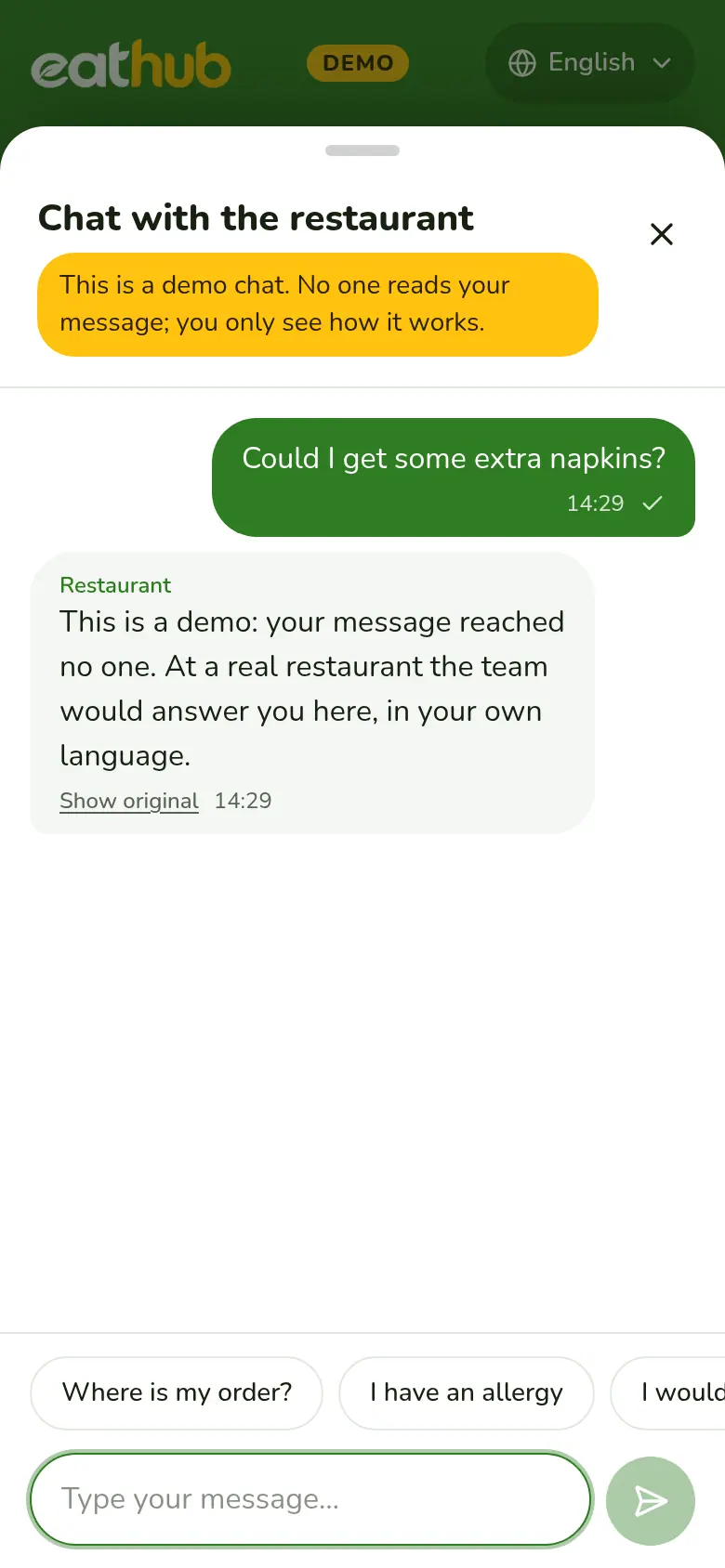
How a message travels
The guest writes
They open the chat button on the menu or the order page and write in their own language. No account or app is needed.
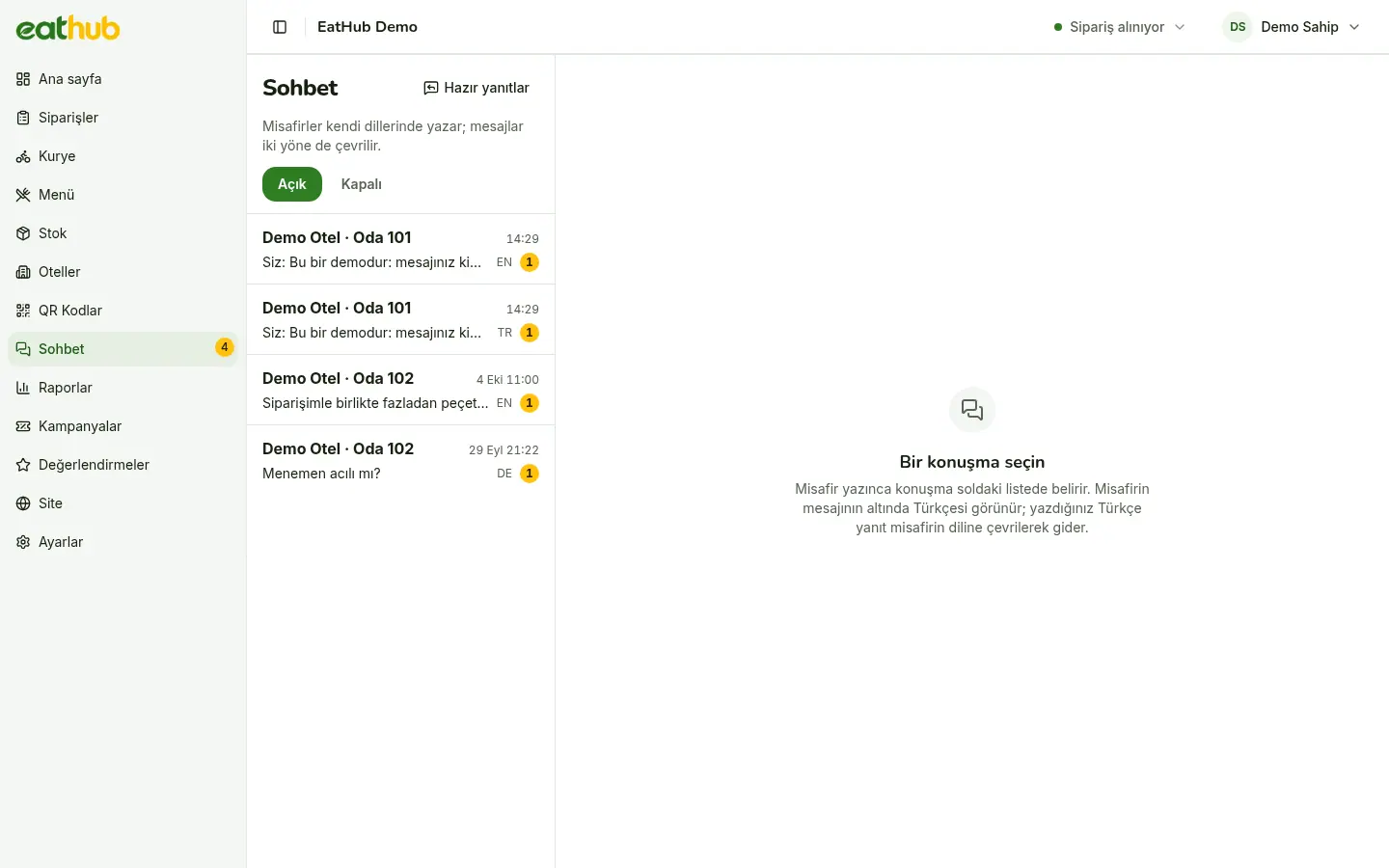
You read Turkish
The Turkish of the message shows next to the original in the panel.
You reply in Turkish
Your reply is translated into the guest's language by AI.
The guest reads their language
The translation appears on the guest screen. The guest can open the Turkish original if they like.
Every conversation in one inbox
Open conversations are listed on the left, and unread ones also show a badge in the side menu. You open a conversation about an order with the Write to guest button on the order card.
- Phrases you often write are saved as quick replies
- Quick replies are translated ahead of time, like the menu
- A conversation is tied to the guest's active order, if there is one
Typing, read, offline
- Typing and read
- Both sides can see when the other is typing and when a message has been read.
- Offline notice
- If nobody is in the panel, or it is outside service hours, the guest is told. They can still send a message.
- Team notification
- When notifications are on, a message that arrives while the panel is closed alerts the team.
- Even if translation is late
- If a translation does not arrive, the message shows in its original language. No message is lost.
Only the people involved see a conversation
- Each conversation belongs to one guest session; no other room or phone can see it
- In the panel, the Owner and Manager roles see the chat
- Chat messages are deleted after the retention period you set, 365 days by default
Talk to guests in their own language
Add your hotel and keep the language barrier out of the order chat.
Common questions
How are messages translated?
By AI, in the background, as soon as a message is sent. If a translation is not ready, the message shows in its original language and is not lost.
What if a guest writes in Turkish?
If the text is already in the other side's language, no translation is shown. The message appears as it is.
Who can see the chat?
In the panel, the Owner and Manager roles. On the guest side, a conversation is open only to the session that wrote it; no other room or phone sees it.
Can a guest write when the restaurant is closed?
Yes. The guest is told the restaurant is offline or outside service hours, and can still leave a message.
Let us start with your rooms
Fill in the form and we will call you to plan the setup together.