
Guests scan the card and order
Pointing a phone camera at the QR card in the room is all it takes. There is no app to download and no account to create; the menu opens in the guest's own language.
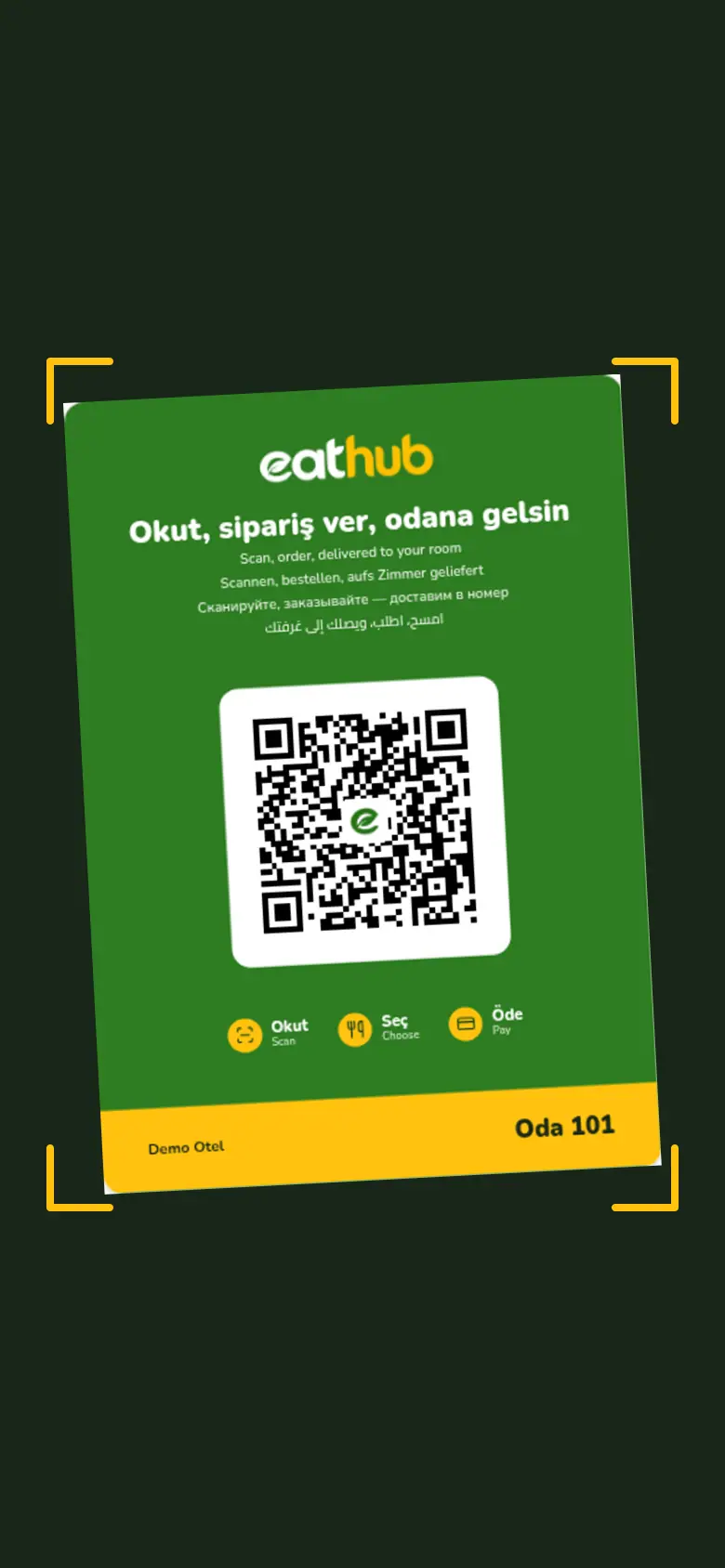
The camera is enough, the menu opens
When a guest scans the card, the menu opens in the browser. It follows the phone's language, and the guest can change it from the language picker. The order is placed for the room the card belongs to.
- Nothing to download
- No account or password
- Cart, payment and tracking all run in the browser
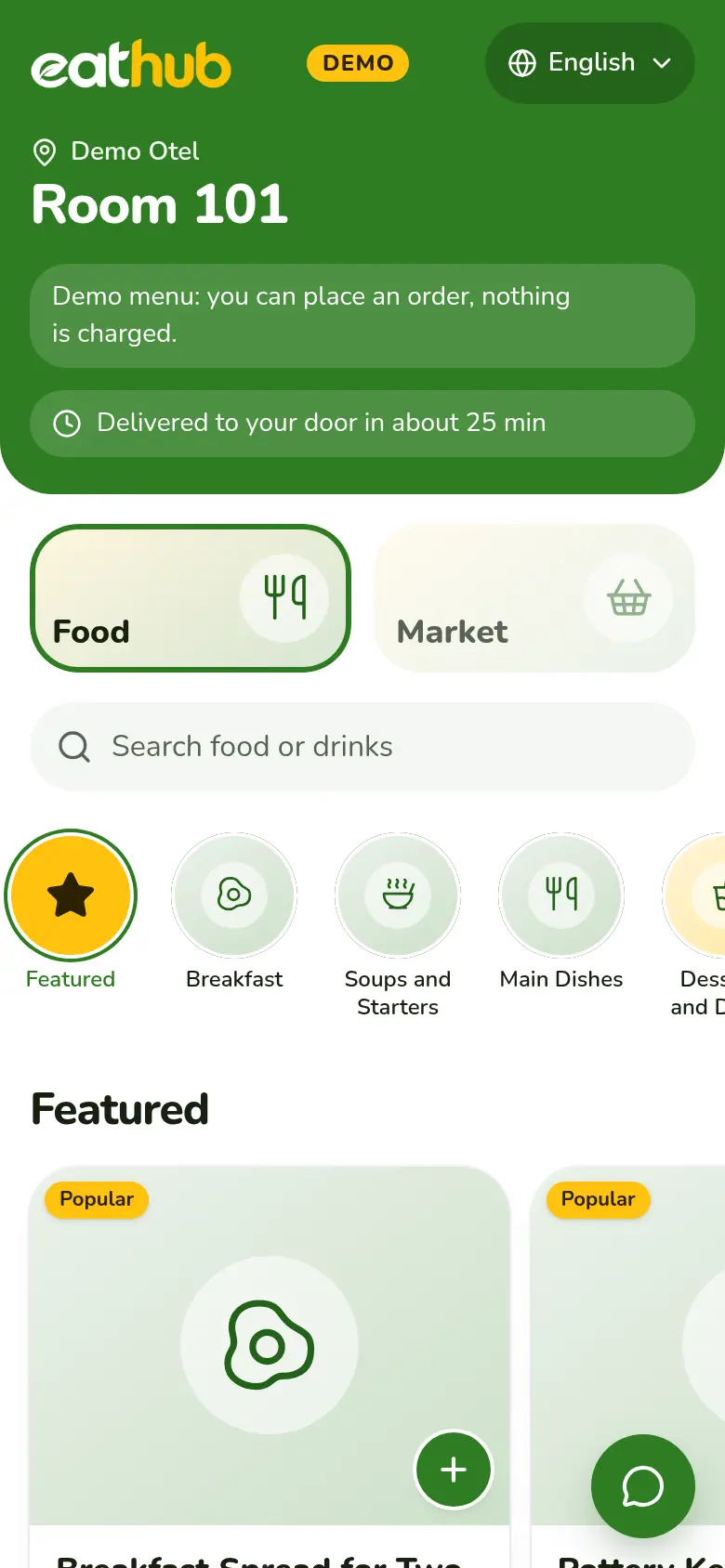
Every room has its own code
- A random code
- Each room gets its own code that cannot be guessed. The address starts with eathub.online/r/ and does not contain the room number.
- The code names the room
- Guests never type a room number. The code identifies the room and the hotel, so the order reaches the right door.
- No sign-up
- Guests can add a name and phone number if they like. Neither is required.
- A closed room looks closed
- If a room or hotel is switched off, the guest sees a closed page and cannot order.
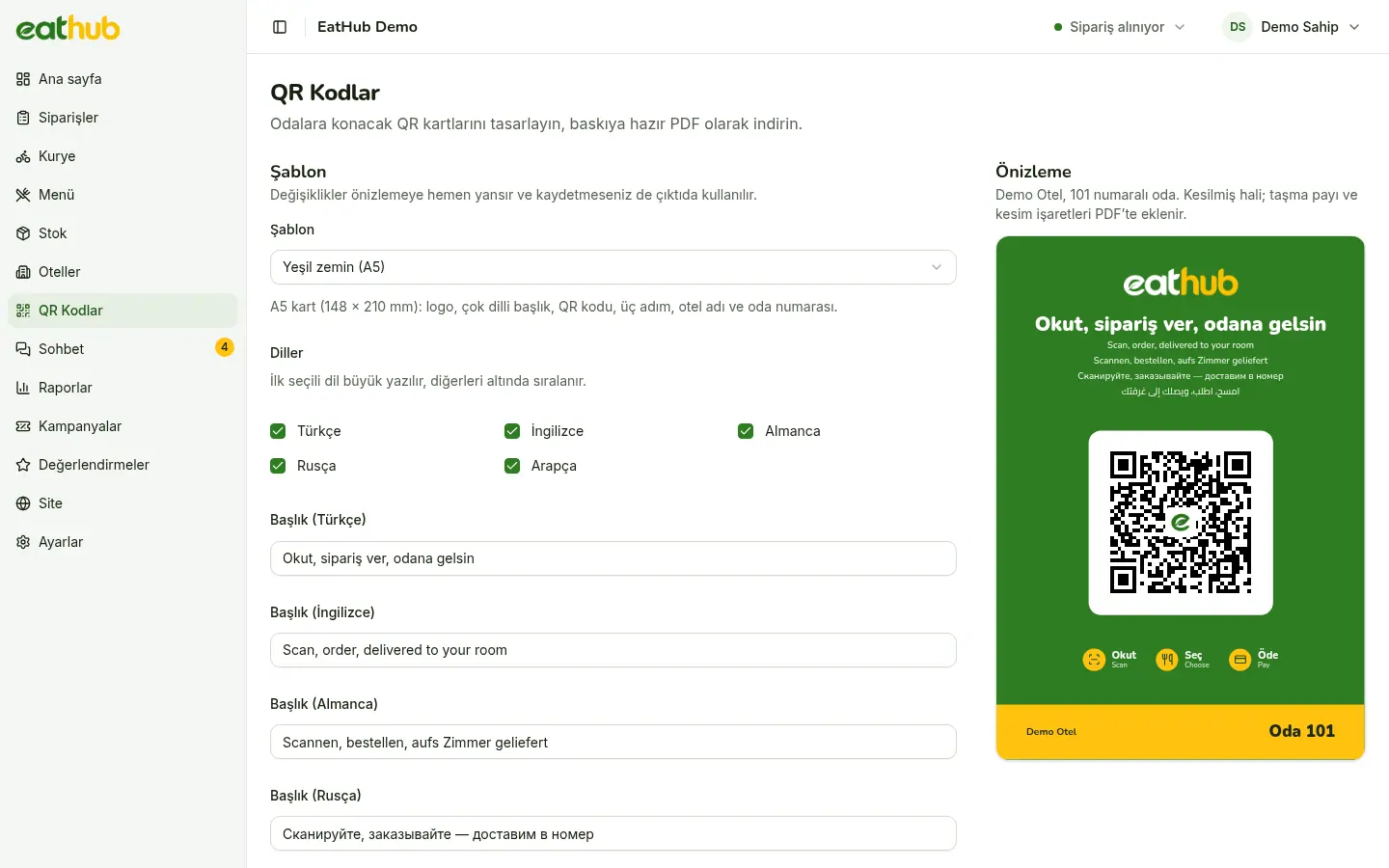
Design the card in the QR studio
You design the cards in the management panel. The preview and the print PDF come from the same template, and you can export a hotel's rooms as one file.
- A5 room card
- Sticker
- Print PDF with crop marks
- Multilingual card
How a hotel's rooms are set up
The hotel has no panel of its own. It sets up its rooms and cards together with the restaurant.
The hotel is added
The restaurant adds the hotel to the panel: delivery point (room door or reception), estimated time, service hours and commission rate.
Rooms are added
Rooms are added one by one or in bulk with a range such as 101-120.
Cards are printed
Room cards are exported from the QR studio as a PDF and printed.
Cards go in the rooms
A guest who scans a card sees the menu right away. Orders are placed within service hours.
Lost card? Renew the code
You can change the code of a room whose card was lost or misused in a single action.
- The old code stops working the moment it is renewed
- Guest sessions opened with the old code are closed
- Changing the room number or floor does not change the code
- A guest session lasts 24 hours from last use; after that, scanning the card again is enough
Let's put cards in your rooms
We add your hotel, set up the rooms and prepare the cards. To start, fill in the application form.
Common questions
Do guests need to download an app or sign up?
No. A guest scans the card with the phone camera and the menu opens in the browser. Adding a name and phone number is optional.
What happens to a room whose card is lost or misused?
You renew that room’s code in the panel. The old code stops working at once and sessions opened with it are closed. You print a new card and put it in the room.
Who prepares the QR cards?
We prepare the cards and place them in the rooms. The hotel has no panel of its own; we set up the rooms and cards together.
Do guests type their room number?
No. Each card belongs to one room. Scanning the code already tells us the room and the hotel, and the order is placed for that room.
Let us start with your rooms
Fill in the form and we will call you to plan the setup together.