
From setup to the month-end statement
The path an order follows, from the hotel joining to the monthly commission statement. Each step is shown on a real screen of the product.
Hotel
The hotel joins
The hotel fills in the application form. The delivery point (room door or front desk), service hours and commission rate are set for that hotel alone.
panel.eathub.com.tr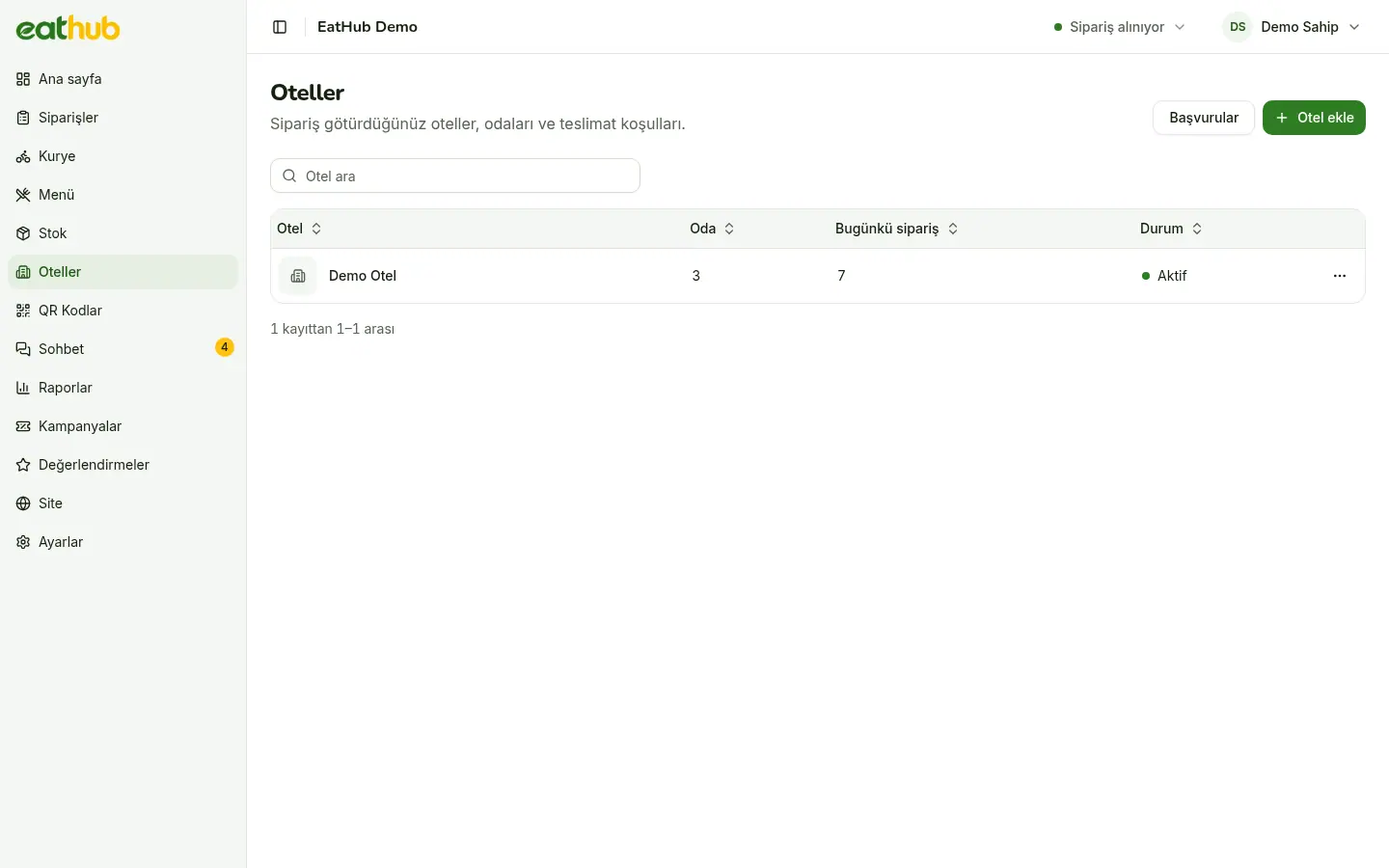
Restaurant
Rooms and cards are prepared
The restaurant enters the rooms one by one or in bulk and prints the cards in the QR studio. Every room’s code is random.
panel.eathub.com.tr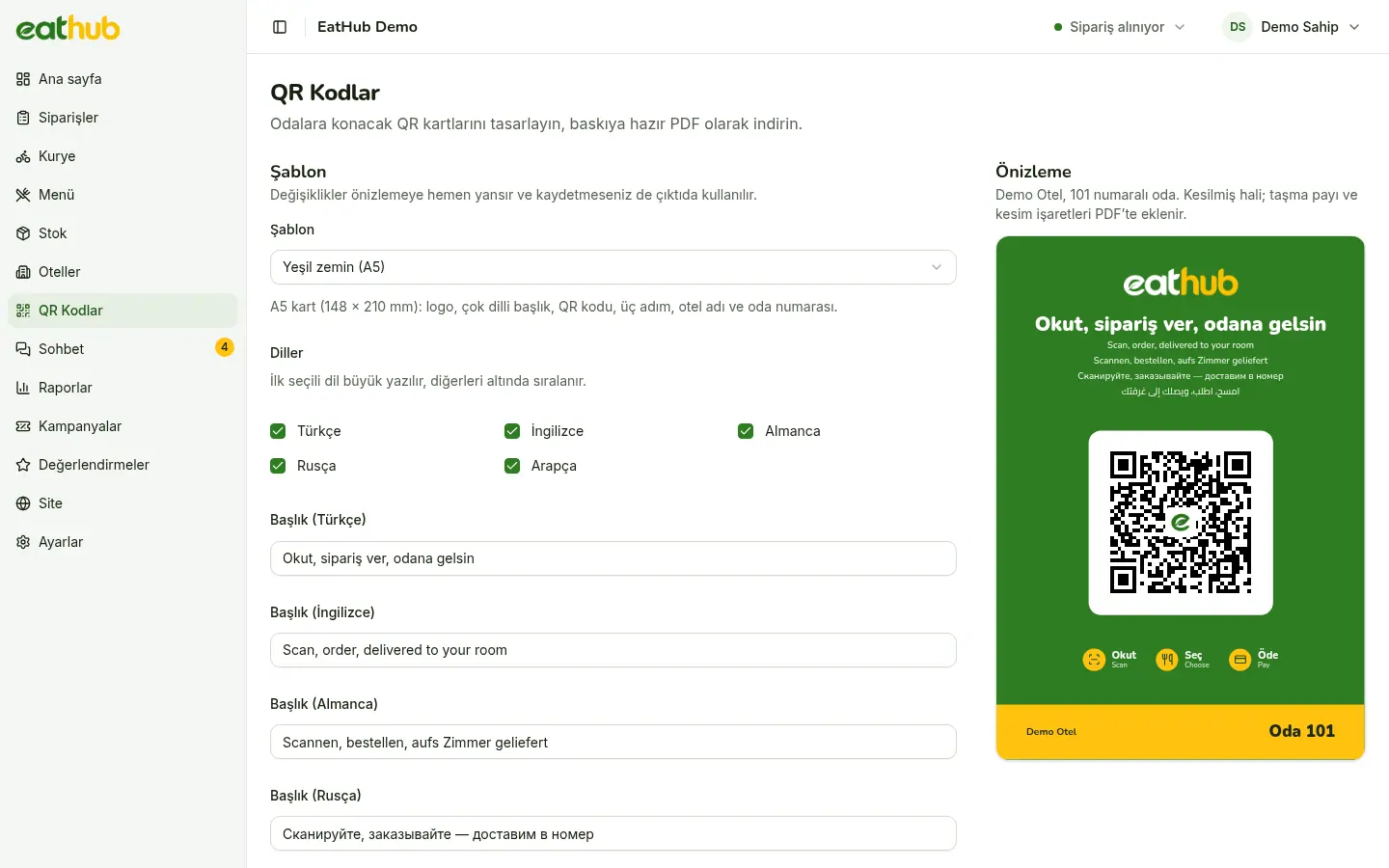
Guest
The guest scans the card
They point the camera at the card in the room. No app, no account; the menu opens in the browser.
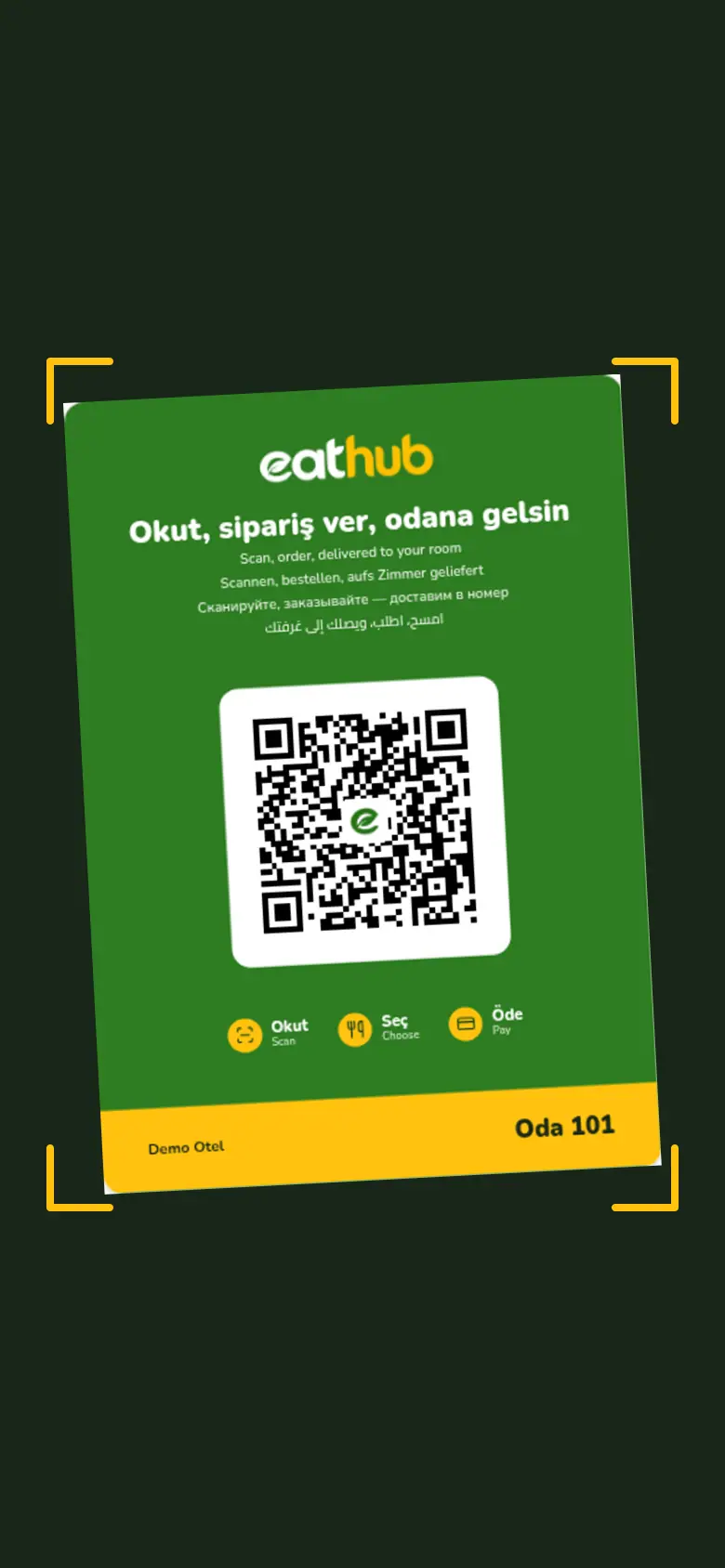
Guest
The menu opens in their language
The guest browses dishes with photos and prices and adds what they want to the cart.
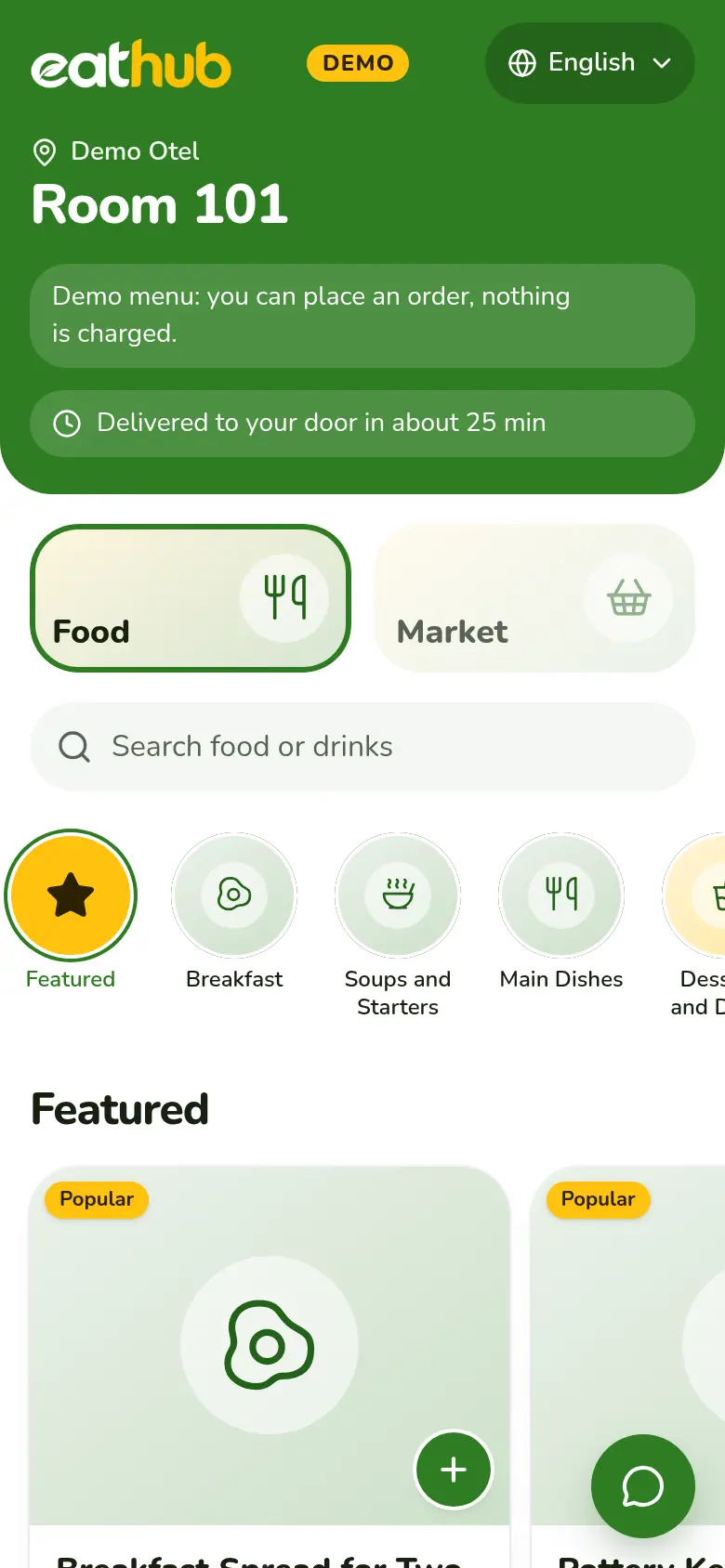
Guest
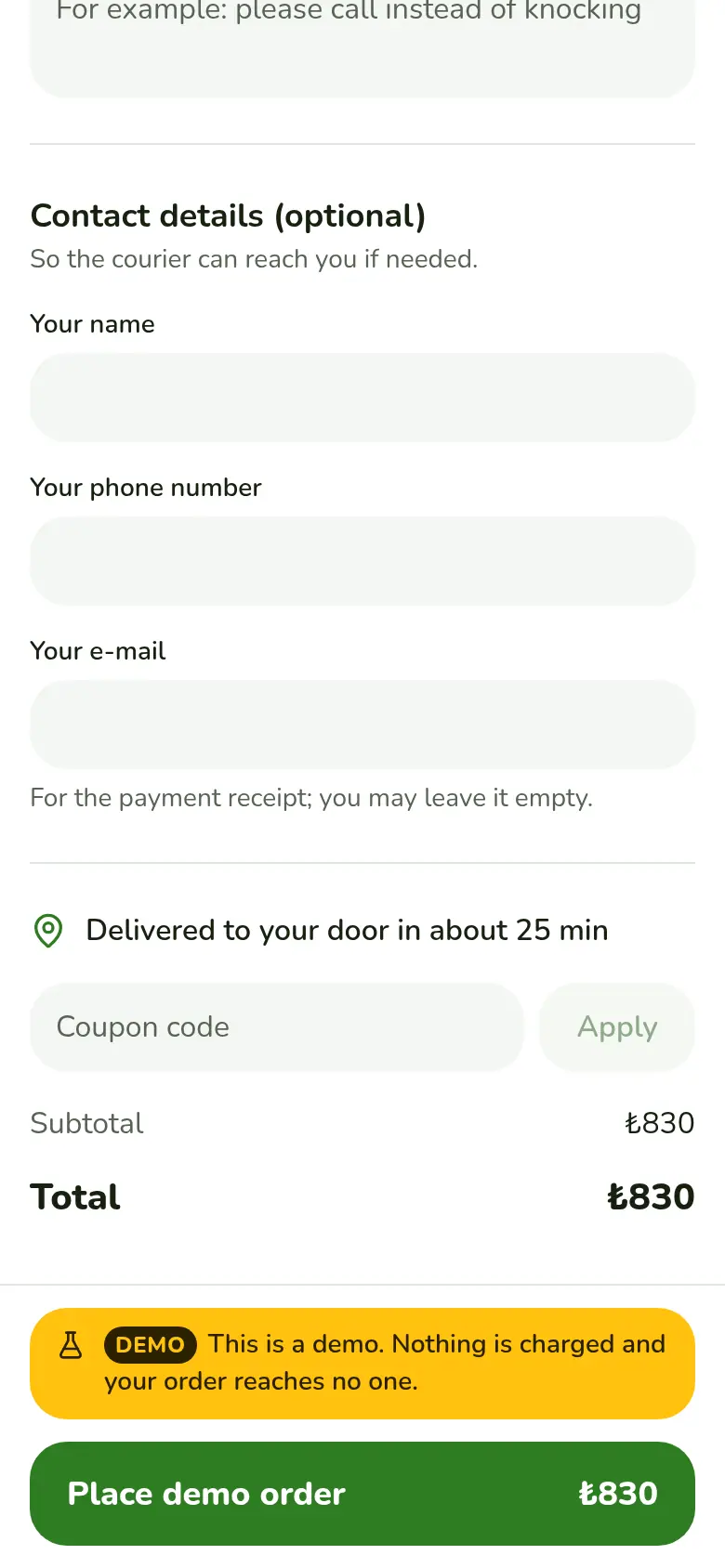
They confirm the cart and pay
The guest accepts the agreement and pays by card. Payment is taken on a secure page on the PayTR infrastructure; an order is confirmed only by a verified payment.
Restaurant
The order lands on the board
A paid order arrives with a sound alert, the kitchen receipt prints and the team gets a WhatsApp message. The restaurant accepts and prepares it.
panel.eathub.com.tr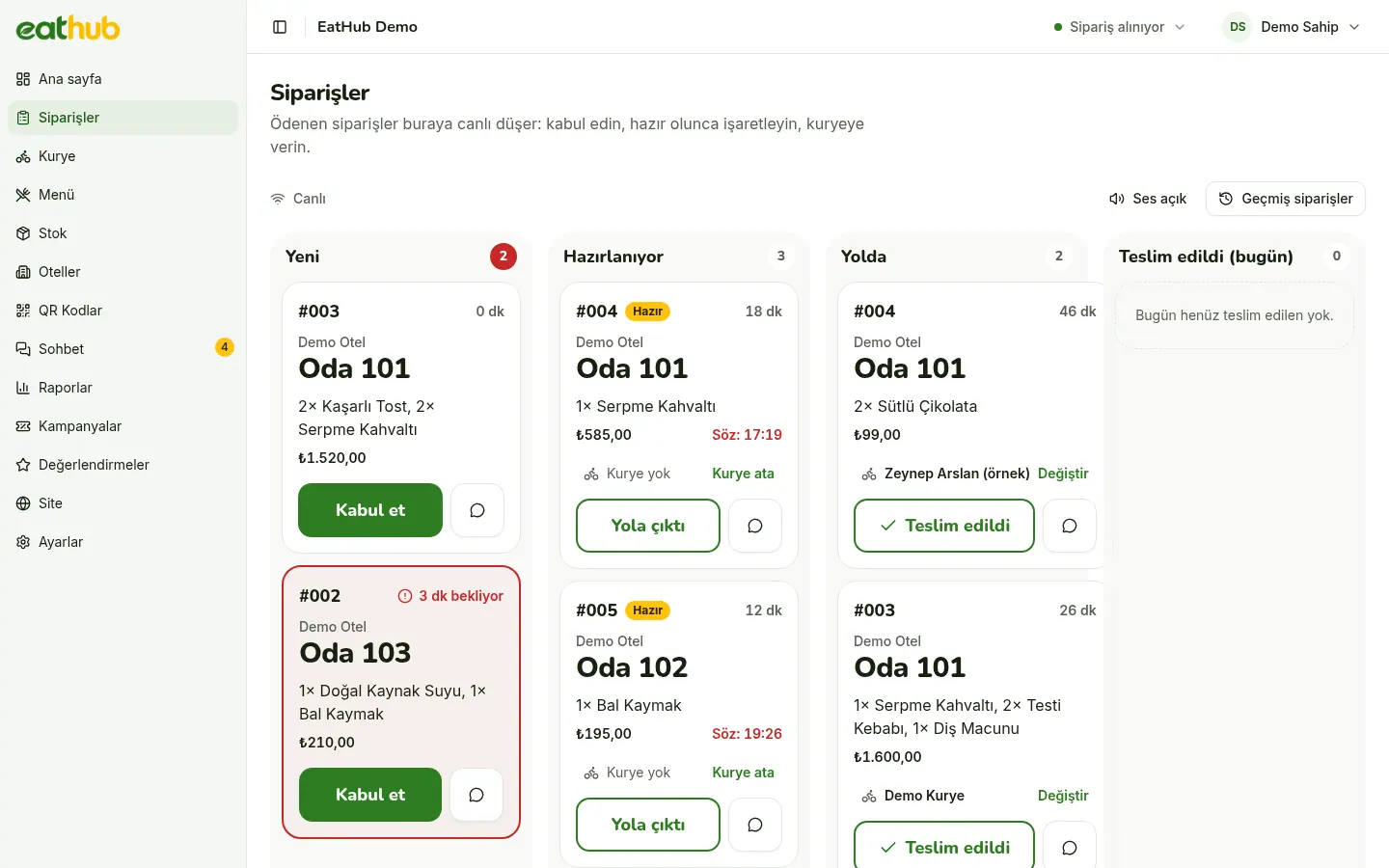
Guest
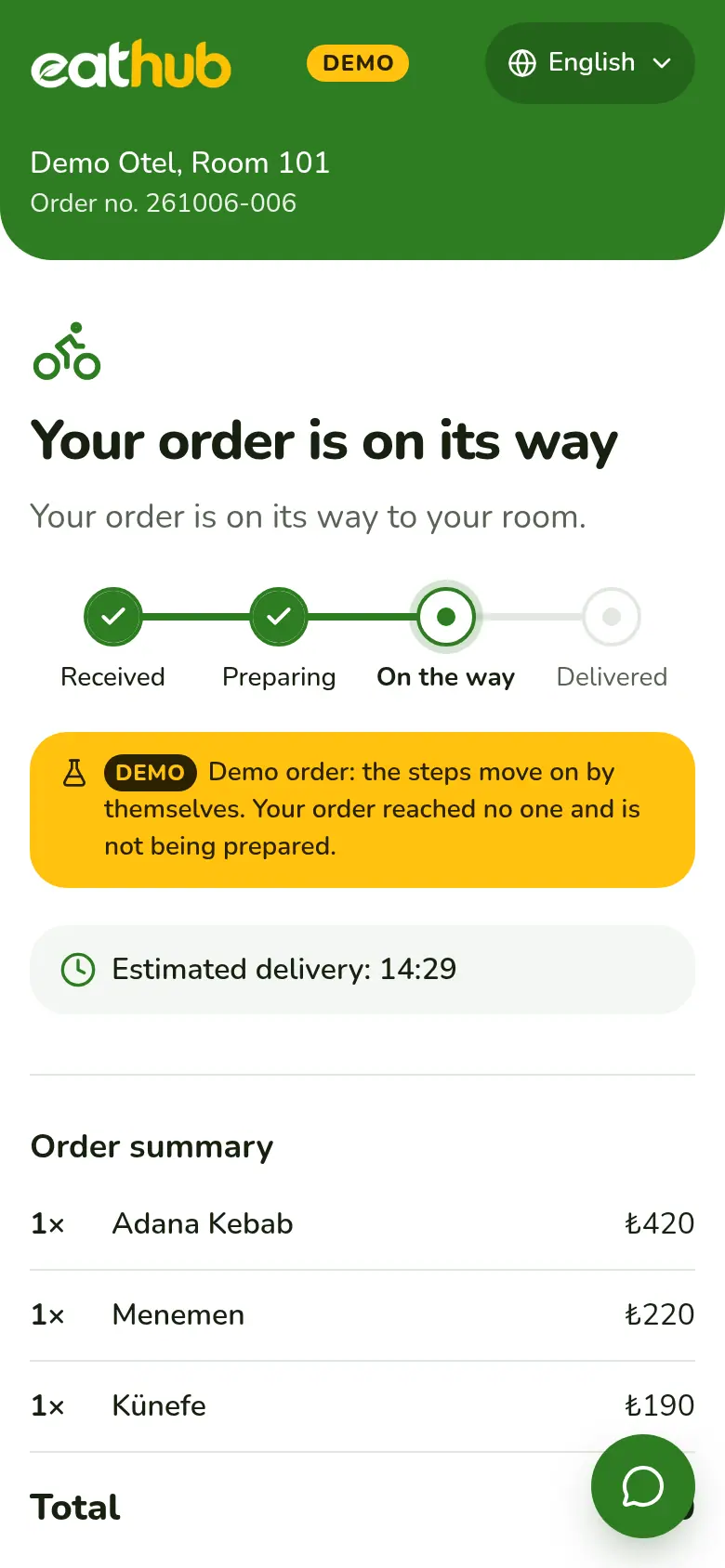
On the way, and the guest watches
The restaurant takes the order to the room. As the status changes, the guest’s screen updates by itself; once delivered, they can leave a rating.
Restaurant
The commission statement at month end
Commission is calculated per hotel from delivered orders. The restaurant gets the statement as a PDF and marks the month as paid.
panel.eathub.com.tr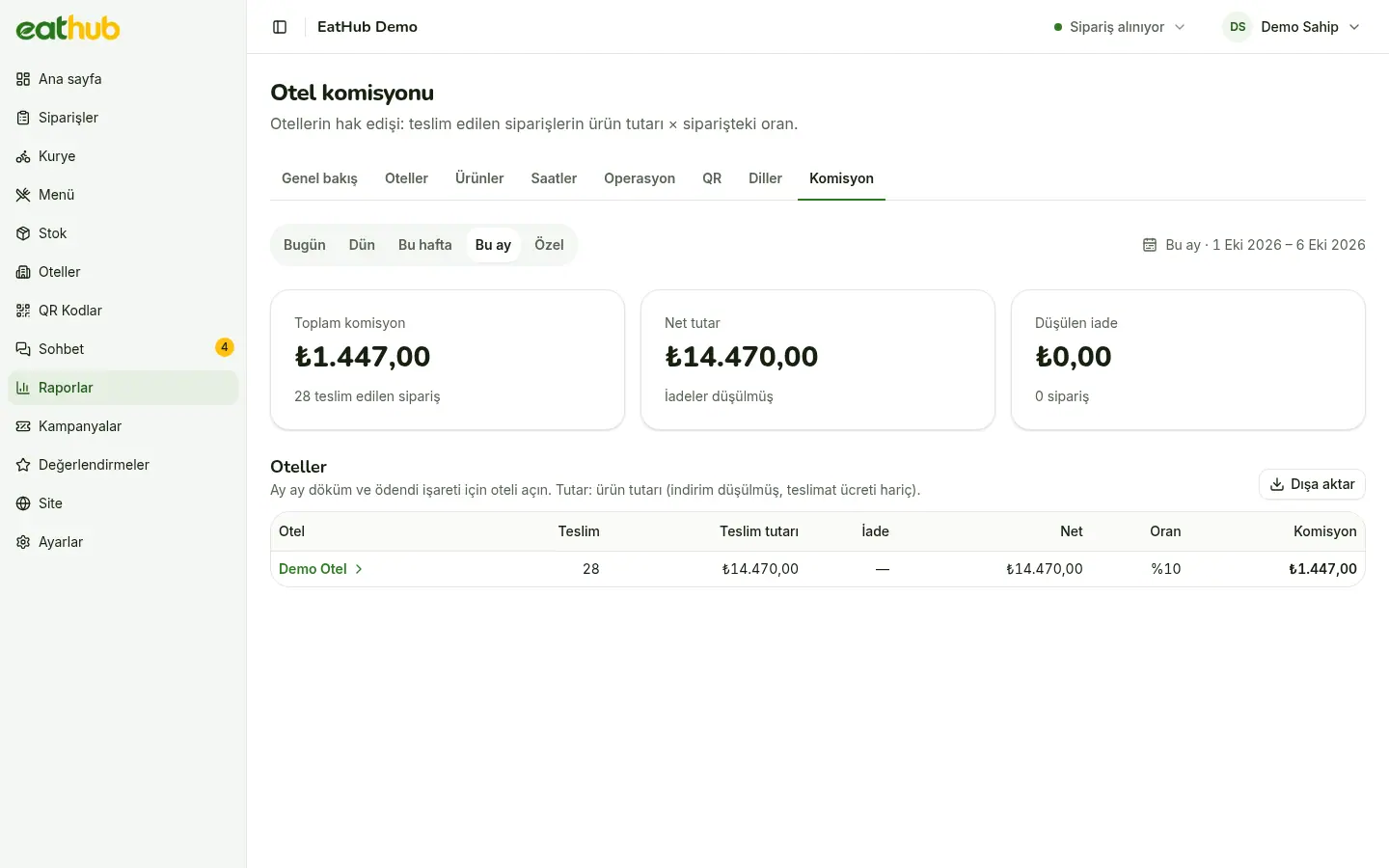
Fill in the form to get started
We agree the delivery point, service hours and commission rate together.